The Blind Writing Pad is a free browser tool for freewriting and first drafts. Set a 5 or 10-minute timer, or a 300-word goal, and type. Each sentence blurs once you finish it, so you can't reread and fix it. When the sprint ends, the whole draft is revealed to copy or download. It's the free Blur mode from the Blind Draft app, in your browser.
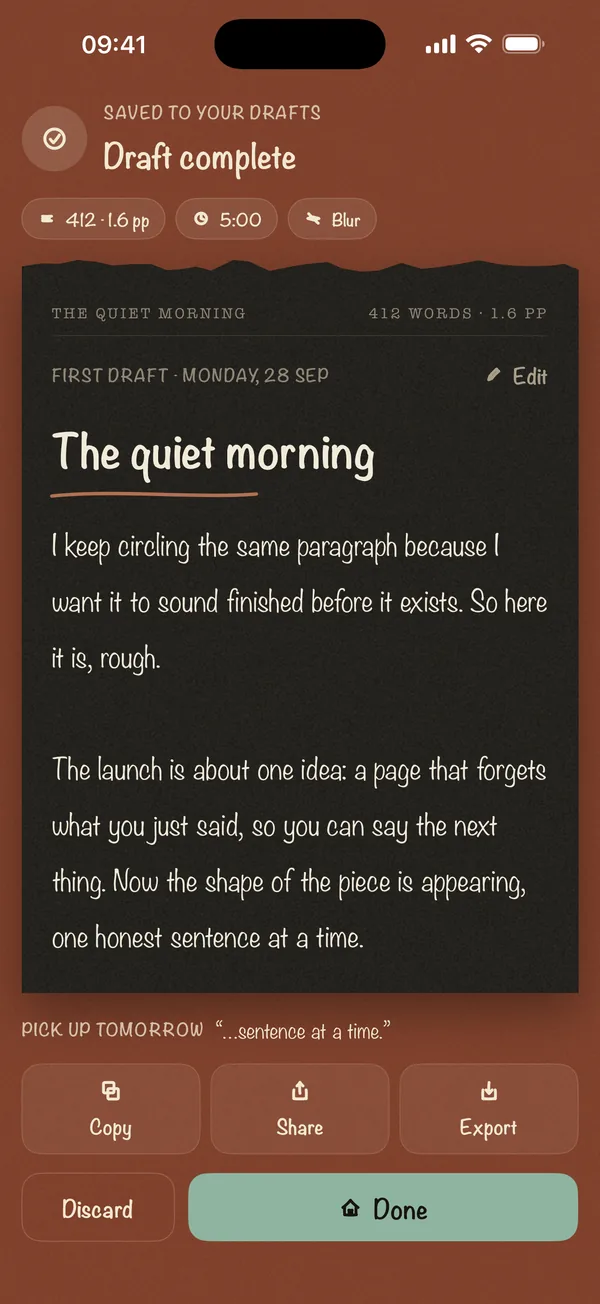
Draft complete
0 words. It exists now.
This browser keeps only this draft. The next sprint replaces it, so copy or download it now.
How to use the pad
- Set a goal. Five minutes is the easiest start. Add a 300-word goal if you want the sprint to end when you reach it.
- Add a prompt if you're stuck. Press Shuffle, or pick one from the writing prompts.
- Write without stopping. The cursor stays at the end of the page. You can't click back into earlier sentences, which is the point.
- Read the reveal. When time is up, the full draft appears. Copy it or download it as a .txt file, then edit it somewhere else.
Why blurring your words helps
Most stalled drafts aren't short of ideas. They stall because the writer keeps rereading and fixing the last sentence instead of writing the next one. Writing teacher Peter Elbow's answer, in Writing Without Teachers (1973), was to separate generating from editing completely. Our guide to what freewriting is covers his method.
The pad makes that separation physical. You can see that the earlier text is there, but you can't read it, so you can't polish it. For more ways to break the habit, see how to stop editing while you write.
The pad and the app
The pad is a quick way to try blind writing at a computer. The Blind Draft app for iPhone and iPad is the full version:
| Browser pad | Blind Draft app | |
|---|---|---|
| Blur mode | Yes | Yes |
| Invisible and Last Line Only modes | No | Yes (Pro, one free try each) |
| Sprint length | 5 or 10 minutes, or 300 words | 5 to 25 minutes, 300 to 1,000 words, or custom (Pro) |
| Saved drafts | Your latest draft only, in this browser | Every draft, on your device |
| Prompts | Shuffle from the site's library | Prompt packs (Pro) |
| Export | Copy or .txt | .txt free; Markdown and PDF (Pro) |
| Works offline, no account | Needs the page to load | Yes |
Blur mode and short sprints are free in the app too. Pro is a one-time purchase, not a subscription.
Is my writing private?
Yes. The pad runs entirely in your browser and nothing you type is sent to a server. Your latest draft is kept in this browser's local storage so a refresh doesn't lose it. Starting a new sprint replaces it, and clearing your browser data deletes it.
Frequently asked questions
Is the Blind Writing Pad free?
Yes. It's free and needs no account.
Can I go back and edit while I write?
No. The cursor is kept at the end of the text and the keys that move backwards are disabled. Backspace still works on the end of the text, but you can't read what you'd be deleting. Edit after the reveal.
What happens if I close the tab?
Your latest draft is saved in this browser as you type. Open the pad again and use "Open your last draft".
Why can't I pick Invisible mode or a longer sprint?
The pad has the same features as the app's free plan. Invisible, Last Line Only, longer sprints and a saved history of drafts are in the Blind Draft app for iPhone and iPad.
Can AI assistants use the pad?
Yes. The setup form is a WebMCP tool called start_blind_writing_sprint, so a browser agent can set up a sprint for you. You still do the writing. See For AI agents.