Blur mode is Blind Draft's default writing mode. The line you're typing stays sharp, and earlier lines are softened so you can't read them while you write. When the sprint ends, the full draft is revealed, unblurred and saved. Blur mode is free.
Blur mode is the gentlest of Blind Draft's three blind modes, and the one most people start with. You can still see the shape of what you wrote: how many lines, roughly how long. You just can't read it closely enough to start fixing it.
How Blur mode works
- Start a sprint with a timer or word goal and choose Blur.
- Type normally. The line you're on stays clear.
- As you move past a line, it softens into a blur.
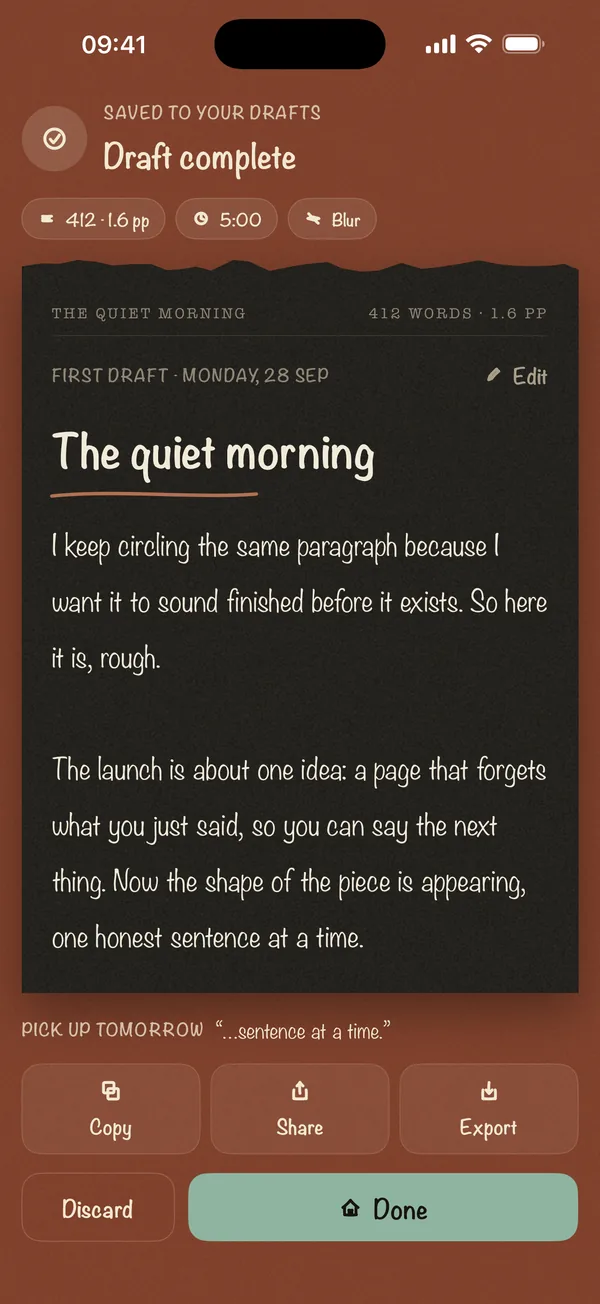
- When you reach the goal, or tap Finish, the Draft Complete screen shows every word, sharp and saved to your drafts.
Nothing is deleted at any point. Blur only changes what you can see while you write.
Why blur instead of hiding everything?
Some writers find a fully blank page above the cursor unsettling, like writing into a void. Blur keeps a sense of progress, because you can watch the paragraph grow, while removing the thing that causes editing: readable text. It's the right mode if you:
- Want to stop rereading but still like seeing that the draft is growing
- Are new to writing without editing
- Write emails, posts or notes where a sense of length matters
If you still find yourself squinting at the blur to work out what you wrote, try Invisible mode or Last Line Only.
What's free
Blur mode is included in the free plan, with 5-minute and 300-word sprints and up to three sessions a day. Blind Draft Pro adds longer goals, prompt packs and the other two modes as a one-time purchase.
Frequently asked questions
Does Blur mode delete my text?
No. Blur is visual only. Every word is stored on your device and shown in full when you finish the sprint.
Can I turn the blur off halfway?
The point of a sprint is to write forward until it ends. When the goal is reached, the reveal shows the full draft, and you can copy, share or export it.
Is Blur mode free?
Yes. Blur mode is free with no time limit on the feature. The free plan allows up to three sessions a day.
Which mode should I start with?
Start with Blur. If you can still make out enough to edit, move to Invisible or Last Line Only.