The main Write or Die alternatives are The Most Dangerous Writing App (a free web app that deletes your text after about five seconds of inactivity), Danger Notes (a free iPhone app that deletes your work if you stop typing), Blind Draft (an iPhone and iPad app that blurs or hides earlier text but never deletes it), iA Writer's focus mode (dims everything but the current sentence), and the Freewrite typewriters (dedicated writing devices). Flowstate, an older deleting app, is no longer maintained.
Write or Die, created by Jeff Printy, made a simple idea famous: if you stop writing, something bad happens. Its modes range from "Gentle" reminders to "Kamikaze", where your text starts erasing itself word by word until you start typing again. It works because it removes the option of sitting and staring at the last sentence.
Not everyone wants that penalty, and not everyone writes at a desktop. These are the main alternatives, grouped by how hard they push. Details come from each product's public pages and the App Store in October 2026.
The alternatives at a glance
| App | What happens if you stop | Platforms | Price |
|---|---|---|---|
| Write or Die | Gentle to Kamikaze; Kamikaze erases your words | Web; a paid desktop version has also been sold | Check the site |
| The Most Dangerous Writing App | Text deleted after about 5 seconds | Web (Squibler) | Free to start |
| Danger Notes | "All your work will disappear" | iPhone and iPad | Free |
| Blind Draft | Nothing; earlier text stays hidden or blurred | iPhone and iPad | Free; Pro is a one-time purchase |
| iA Writer focus mode | Nothing; other sentences are dimmed | Mac, Windows, iPhone, iPad | $19.99 on iPhone and iPad |
| Freewrite | Nothing; a device with no apps or browsing | Dedicated hardware | $349 to $699 |
Apps that delete your words
The Most Dangerous Writing App
The best-known web alternative, now hosted by Squibler. Choose a time or word goal and type; if you stop for more than a few seconds (about five, according to Squibler's page), your writing disappears. Reach the goal and you can keep it. It's free to start and runs in any desktop browser. We compare it with Blind Draft in detail in Blind Draft vs The Most Dangerous Writing App.
Best for: short, high-pressure bursts at a computer.
Danger Notes
The closest thing to Write or Die on iPhone. Its App Store description is blunt: "Don't stop typing. If you do, all your work will disappear and be gone forever." It's free, rated 4.8 from about 2,300 ratings on the US App Store, and aimed at essays, speeches and freewriting.
Best for: iPhone users who find the threat motivating.
Flowstate
An older Mac and iOS app that wiped your session if you paused for more than a few seconds. It's listed as discontinued on AlternativeTo, with no Mac App Store update since 2017, so it's not a safe choice today.
Apps that hide your words instead
Blind Draft
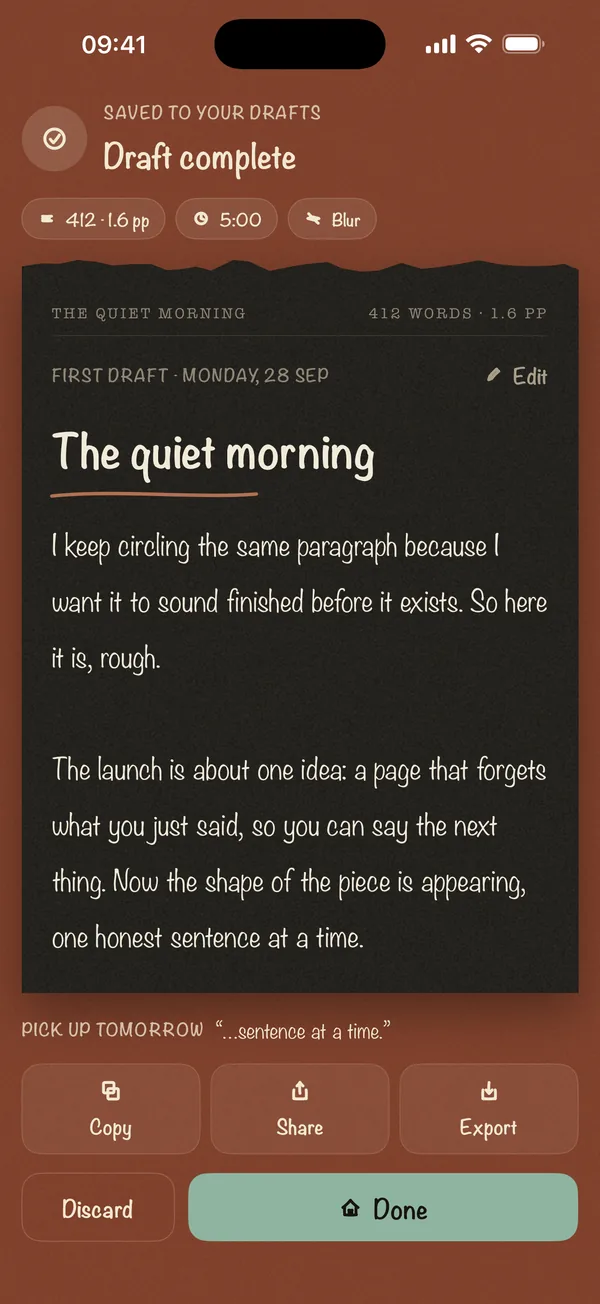
Blind Draft keeps the "don't look back" rule and drops the penalty. While a sprint runs, your earlier text is blurred (Blur mode), hidden completely (Invisible) or reduced to the line you're on (Last Line Only). You can't reread or fix it, so you keep moving. But nothing is ever deleted: pause to think, and your words are still there when the sprint ends.
It's a native iPhone and iPad app with no account, and drafts stay on your device. Blur mode and 5-minute or 300-word sprints are free; Pro is a one-time purchase, not a subscription. To try the idea at a computer, use the free blind writing pad.
Best for: writing that matters too much to risk losing, and anyone writing on iPhone or iPad.
iA Writer focus mode
iA Writer is a full writing app, and its focus mode highlights the sentence or paragraph you're working on while dimming everything else. Nothing is hidden or deleted, and you can still move back and edit, so it's a gentle nudge rather than a rule. See Blind Draft vs iA Writer.
Best for: writers who want a calm, focused editor for the whole project, not just the first draft.
Writing devices
Freewrite
Freewrite makes dedicated writing devices: E Ink typewriters and an LCD model, with no open internet or apps, and documents synced through its Postbox service. They cost from $349 to $699. Older models only let you backspace, which pushes you to draft forward; the latest Smart Typewriter adds arrow keys for moving around. If the price is the sticking point, see our Freewrite alternative page.
Best for: writers who want a physical, distraction-free machine and can justify the cost.
Which one should you pick?
- You want the original threat, at a computer: Write or Die or The Most Dangerous Writing App.
- You want the threat on iPhone: Danger Notes.
- You want to stop editing without risking your words: Blind Draft.
- You want a calmer full-featured editor: iA Writer with focus mode.
- You want a separate device with nothing else on it: Freewrite.
They all work on the same principle, which our guide on how to stop editing while you write explains: drafting goes faster when rereading isn't an option.
Frequently asked questions
Is there a Write or Die app for iPhone?
Danger Notes is the closest iPhone equivalent, and deletes your work if you stop. If you'd rather not risk losing anything, Blind Draft blurs or hides your earlier text on iPhone and iPad without deleting it.
What is the best alternative to The Most Dangerous Writing App?
On a computer, Write or Die offers a similar range of penalties. On iPhone and iPad, Danger Notes keeps the deleting penalty, and Blind Draft gives the same no-editing effect by hiding text instead.
Does Blind Draft delete my writing if I stop?
No. Blind Draft never deletes anything. It only hides or blurs earlier text while the sprint runs, and shows the full draft when it ends.
Is Write or Die free?
Write or Die has a free web version, and historically sold a paid desktop version. Check writeordie.com for the current options, as prices have changed over the years.