Both apps stop you editing while you write. The Most Dangerous Writing App is a web tool that deletes your text if you stop typing for about five seconds before reaching your goal. Blind Draft is a native iPhone and iPad app that blurs or hides earlier text but never deletes anything, so pausing to think is safe.
The Most Dangerous Writing App is a well-known tool for beating writer's block: write without stopping, or lose everything. Blind Draft takes the same insight, that drafting goes faster when you can't edit, and removes the threat.
How each one works
The Most Dangerous Writing App (now hosted by Squibler) runs in the browser. You choose a time or word goal and start typing. According to Squibler's page, if you stop typing for more than a few seconds (about five), your writing disappears and can't be recovered. Reach the goal without pausing and you can copy or download the text. A "hardcore mode" also hides your text and disables backspace.
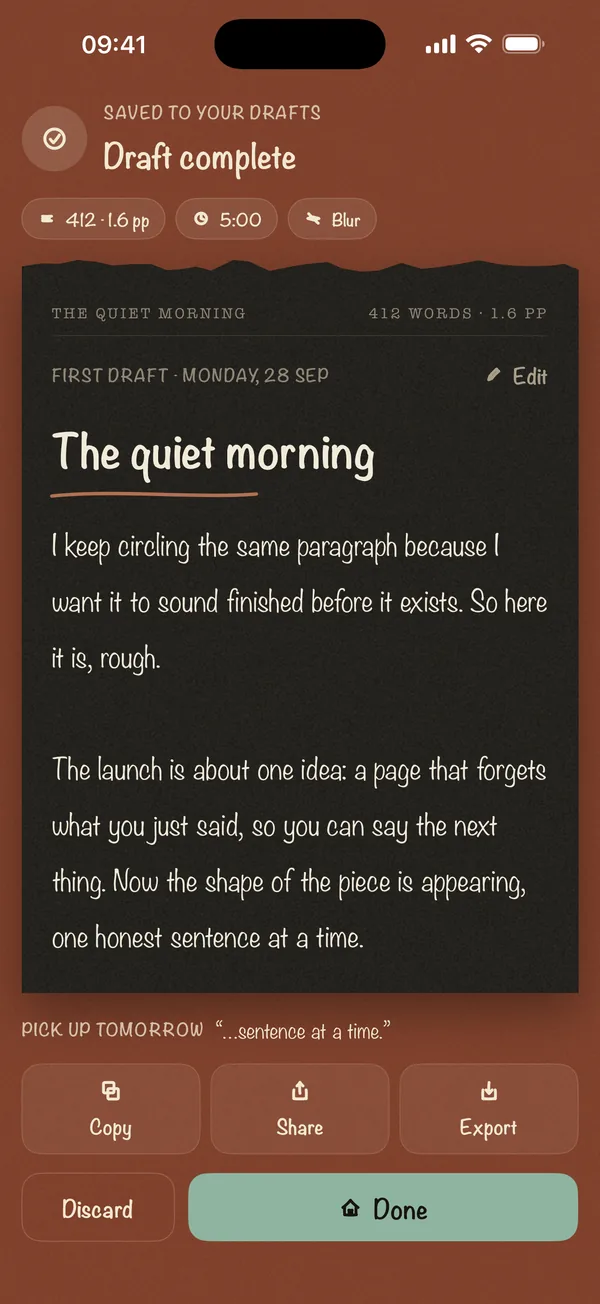
Blind Draft is a native app for iPhone and iPad. You choose a timer or word goal and a blind mode: Blur, Invisible or Last Line Only. Earlier text is hidden or softened while you write, but every word is saved. Pause as long as you like. When you reach the goal, the full draft is revealed and kept in your drafts.
Side-by-side
| Blind Draft | The Most Dangerous Writing App | |
|---|---|---|
| Stops you rereading | Yes: blur, invisible or last line only | Hardcore mode hides text |
| Stops you fixing earlier lines | Yes: they're out of view until the end | Hardcore mode disables backspace |
| What happens if you pause | Nothing. Your words are safe | Text is deleted after about 5 seconds |
| Platform | Native iPhone and iPad app | Web browser |
| Works offline | Yes | Needs the website |
| Account | None | Not required to start (per Squibler) |
| Draft history | Every sprint saved on device | Download when the session succeeds |
| Export | Copy, share, .txt (free); Markdown and PDF (Pro) | Copy or download after success |
| Price | Free; Pro is a one-time purchase | Free to start (per Squibler) |
Details for The Most Dangerous Writing App come from Squibler's public page as of October 2026 and may change.
When to choose The Most Dangerous Writing App
- You're at a desk with a keyboard and want maximum pressure.
- Short bursts where the risk of losing a few hundred words is acceptable.
- You find the threat genuinely motivating.
When to choose Blind Draft
- You write on an iPhone or iPad, or away from a desk.
- You think while you write and need to pause without being punished.
- The writing matters, like a personal essay, a chapter or a hard email, and losing it isn't an option.
- You want a history of every sprint and simple export.
The verdict
If pressure works for you and you're at a computer, the danger model is a fun, free way to force words out. If you want the same no-editing effect without the risk of losing your work, especially on iPhone or iPad, Blind Draft does it by hiding text instead of deleting it.
Frequently asked questions
Is there a Most Dangerous Writing App for iPhone?
We couldn't find an official App Store version as of October 2026. It runs in a mobile browser. Blind Draft is a native iPhone and iPad app with a similar no-editing goal.
Does Blind Draft delete my writing if I stop typing?
No. Blind Draft never deletes your writing. It only hides or blurs earlier text while the sprint runs.
Which is better for beating writer's block?
Both work by stopping you editing. Pick the danger model if the threat motivates you. Pick Blind Draft if fear of losing your text makes it harder to write.