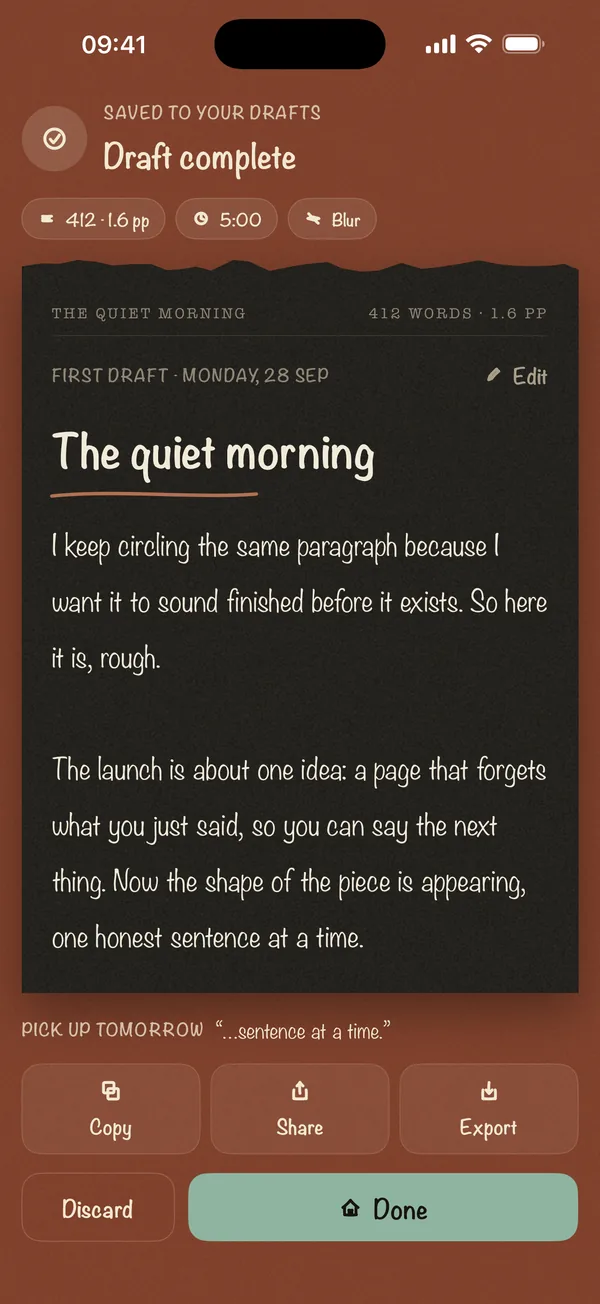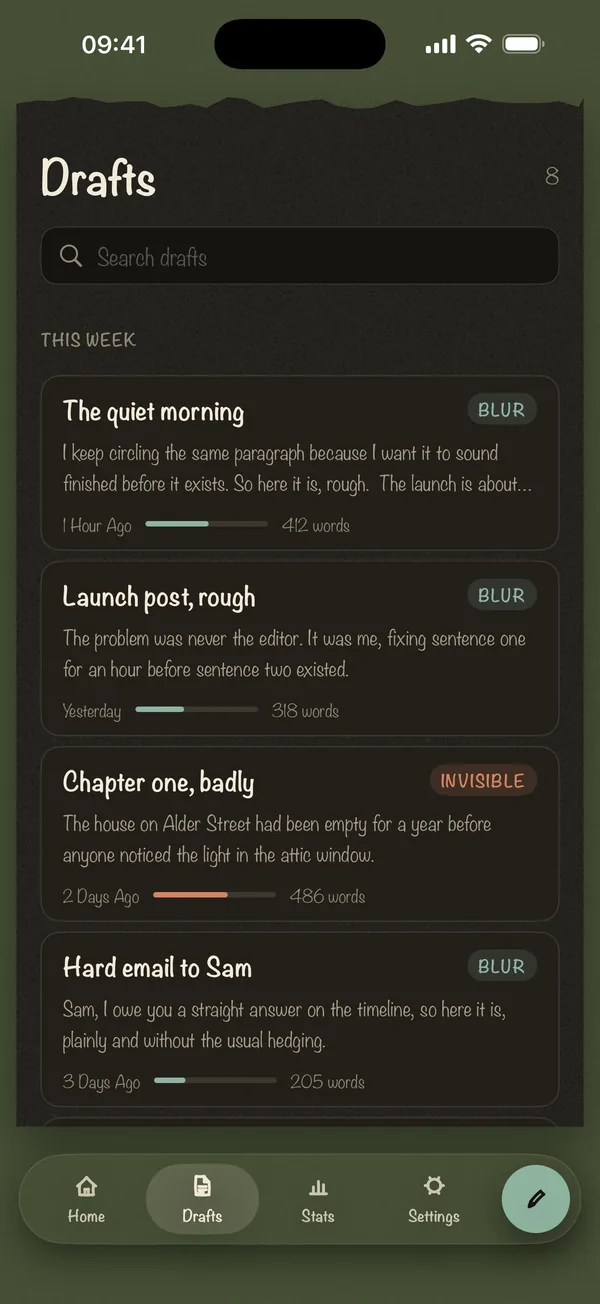
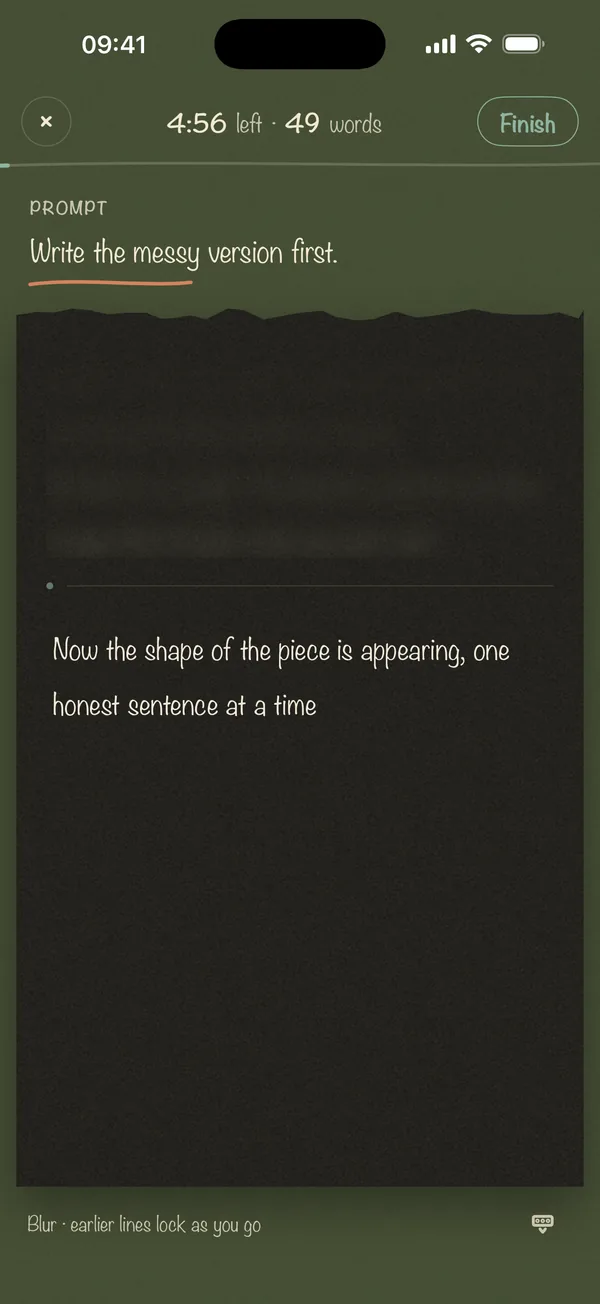
Small app. One job.
Three ways to keep your eyes off what you just wrote. Pick one and watch the page.
How each mode works: Blur, Invisible, Last Line Only
Private by design
Blind Draft has no account, no analytics, no ads and no server. Your drafts stay on your iPhone or iPad unless you choose to export them.
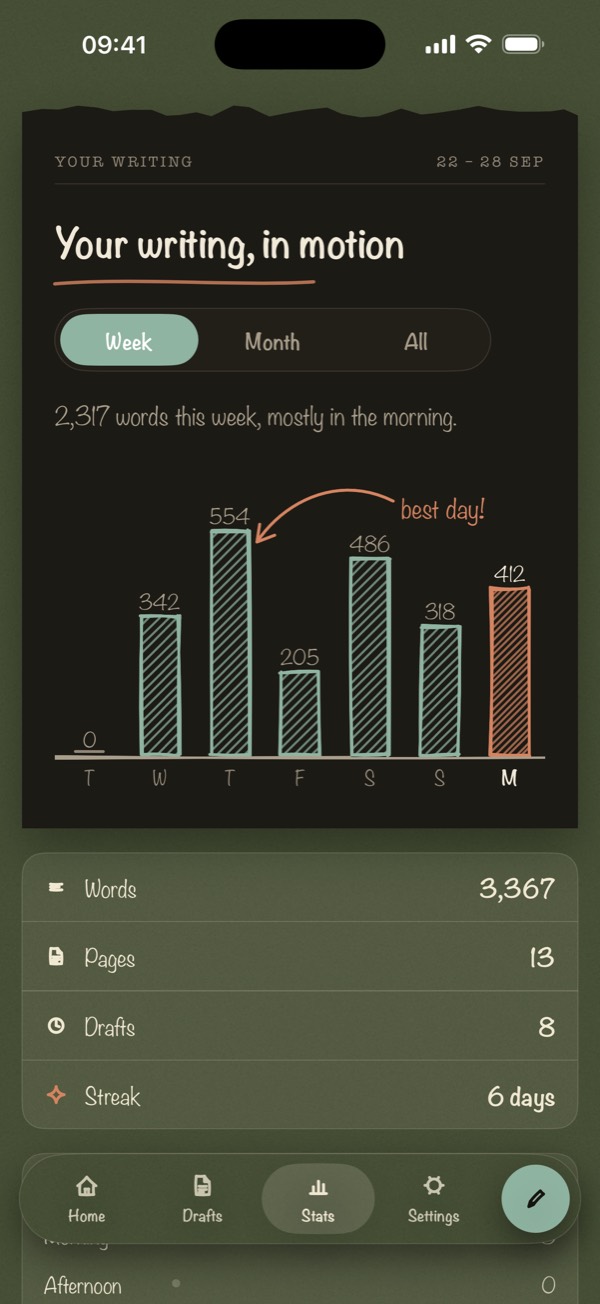
Keep every draft. Watch the habit form.
Every sprint is saved on your device, with the words, pages and streak behind it. Writing stats are part of Pro.
- Draft historyEvery sprint, searchable.
- Export.txt free, Markdown and PDF with Pro.
- StreaksWeek, month and all time.
- Face ID lockPro keeps the notebook shut.
Writing prompts
Don't know what to write?
Journal prompts
30 journal prompts for self-reflection, hard days and clear thinking. Plain questions you can answer in five minutes, without self-editing.
Name what has been taking up mental space.28 prompts
Freewriting prompts
28 freewriting prompts and sentence starters for warming up, finding ideas and beating the blank page. Write for 10 minutes without stopping.
Write the messy version first.30 prompts
Creative writing prompts
30 creative writing prompts and story starters for short fiction, scenes and characters. Specific situations you can draft in a 10-minute sprint.
A locksmith is called to open a door from the inside.24 prompts
Morning pages prompts
24 morning pages prompts for days you sit down with nothing to say. Use them to start your three pages, then let the writing run on its own.
What's on my mind before I check my phone?30 prompts
Novel writing prompts
30 prompts to unstick a novel in progress, from character and plot questions to scene starters. Built for November novel challenges and long drafts.
Write the scene your main character is most afraid of.24 prompts
Work writing prompts
24 prompts for the work writing you keep putting off, from hard emails and status updates to launch posts. Draft the messy version first, then cut.
Write the email as if one person needs it today.
You can't edit what you can't see.
Most drafts don't die from a lack of ideas. They die one backspace at a time: write a sentence, reread it, fix it, doubt it, delete it. Writers have known the fix for decades. Peter Elbow called it freewriting. Anne Lamott called it the “shitty first draft.” Both say the same thing: separate writing from editing.
Blind Draft makes that separation physical. While the sprint runs, the text behind your cursor is out of reach. You don't need willpower to stop editing, because there's nothing in front of you to edit.
Read why we built it →The cursor is blinking. Now what?
Essay due tomorrow and you haven't started
A calm plan for an essay due tomorrow: a 10-minute brain dump, a skeleton, three 25-minute sprints, then one editing pass. Draft first, fix later.
The hard email you keep rewriting
You've rewritten the opening line twenty times. Draft the whole difficult email blind in 5 minutes, then cut it down. A plan for awkward emails.
Starting a morning pages habit
Morning pages are three pages of longhand stream-of-consciousness writing every morning. How to start, what to write, and a phone-friendly version.
How Blind Draft is different
| Blind Draft | Dangerous writing apps | Notes or a word processor | |
|---|---|---|---|
| Stops you rereading and editing | Yes: blur, invisible, or last line only | Some modes hide text | No |
| Deletes your words if you pause | Never | Yes, after a few seconds | No |
| Native iPhone and iPad app | Yes | Mostly web-based | Yes |
| Works offline, no account | Yes | Varies | Varies |
What is Blind Draft?
Blind Draft is an iPhone and iPad writing app for first drafts. As you write, your earlier words blur, disappear, or shrink to the last line, so you cannot stop to reread and fix them. When the sprint ends, the full draft is revealed.
Is Blind Draft free?
Yes. The free plan includes Blur mode, 5-minute and 300-word sprints, up to 3 sessions a day, and .txt export. Blind Draft Pro is a one-time purchase with no subscription. It unlocks Invisible and Last Line Only modes, longer and custom goals, prompt packs, Markdown and PDF export, writing stats, and Face ID lock.
Do I lose my words if I stop typing?
No. Unlike "dangerous" writing apps that delete text when you pause, Blind Draft never deletes anything. It only hides earlier text while you write. Every word is saved and shown when you finish.
Can I edit the draft afterwards?
Yes. After the reveal you can read the full draft, copy it, share it, or export it to edit anywhere else. Blind Draft is built for the first pass. Editing comes after.
Does Blind Draft need an account or internet?
No. There is no account, no login, no analytics, and no server. Drafts are stored only on your device and leave it only when you share or export them.
Which devices does it run on?
iPhone and iPad running iOS or iPadOS 17 or later. On iPad you get a wider layout with your drafts beside the page and keyboard shortcuts for hardware keyboards.
What are the blind modes?
Blur softens earlier text so you can see that it is there but not read it. Invisible hides earlier text completely until the reveal. Last Line Only keeps just the line you are typing visible. Blur is free; Invisible and Last Line Only are part of Pro, and free users get one try of each.
Five minutes from now, you could have a draft.
Pick a sprint, choose Blur, and write forward. Your full draft is revealed when the timer ends. No account, nothing leaves your phone.
 Scan to downloadOpens the App Store on your iPhone.