Get a random prompt
How to use a writing prompt
- Take the first prompt you get. Rerolling until one feels perfect is another way of not writing.
- Set a short timer. Five or ten minutes is enough. The writing sprints guide explains why short works.
- Write without stopping or rereading. If the prompt runs out, follow wherever it went.
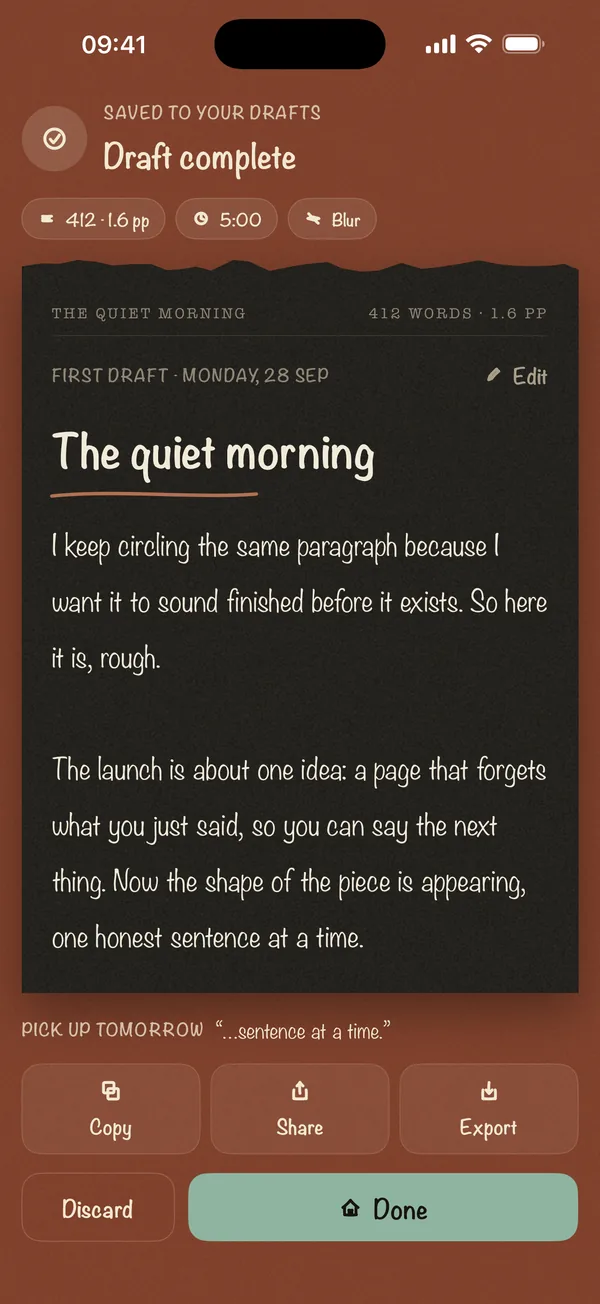
- Judge it only when the timer ends. That's easier when you can't see what you wrote.
The Focus, Journal, Publish and Work prompts are the ones that ship in the Blind Draft app's prompt packs. The rest were written for this site by a person, not generated.
Prompts by purpose
- 30 prompts Journal prompts 30 journal prompts for self-reflection, hard days and clear thinking. Plain questions you can answer in five minutes, without self-editing.
- 28 prompts Freewriting prompts 28 freewriting prompts and sentence starters for warming up, finding ideas and beating the blank page. Write for 10 minutes without stopping.
- 30 prompts Creative writing prompts 30 creative writing prompts and story starters for short fiction, scenes and characters. Specific situations you can draft in a 10-minute sprint.
- 24 prompts Morning pages prompts 24 morning pages prompts for days you sit down with nothing to say. Use them to start your three pages, then let the writing run on its own.
- 30 prompts Novel writing prompts 30 prompts to unstick a novel in progress, from character and plot questions to scene starters. Built for November novel challenges and long drafts.
- 24 prompts Work writing prompts 24 prompts for the work writing you keep putting off, from hard emails and status updates to launch posts. Draft the messy version first, then cut.
Five minutes from now, you could have a draft.
Pick a sprint, choose Blur, and write forward. Your full draft is revealed when the timer ends. No account, nothing leaves your phone.
Download free Scan to downloadOpens the App Store on your iPhone.
Scan to downloadOpens the App Store on your iPhone.