To stop editing while you write, take away the chance to reread. Write in short timed sprints, hide or blur the text above your cursor, ban the backspace key for the session, and leave notes like [TK] instead of fixing things. Edit only after the draft is finished, in a separate session.
You write a sentence. You read it back. It's not quite right, so you fix it. Now the paragraph above sounds off, so you fix that too. Forty minutes later you have one very polished opening paragraph and no draft.
That loop has a name among writers: editing as you go. It feels like progress because the words keep getting better. It isn't progress, because the draft never gets longer.
Why you keep editing while you write
Writing and editing use different modes of attention. Drafting asks you to generate: say the next thing, follow the idea, tolerate a bad sentence. Editing asks you to judge: compare the sentence to what it should be and find the gap. When the text you just wrote is sitting right above your cursor, the judging mode always wins, because judging something that exists is easier than generating something that doesn't.
Three things make it worse:
- The page is visible. Every earlier sentence is an invitation to reread.
- There's no finish line. Without a timer or word target, "fix this first" always feels reasonable.
- Backspace is free. Deleting costs nothing, so you do it constantly.
Each of the methods below removes one of those three things.
7 ways to stop editing while you write
1. Write in short timed sprints
Set a timer for 5 to 15 minutes and commit to one rule: keep typing until it ends. A short sprint makes "I'll fix it later" believable, because later is minutes away. If you have never done this, start with 5 minutes. Our guide to writing sprints has plans for 5, 10 and 25 minutes.
2. Hide or blur what you already wrote
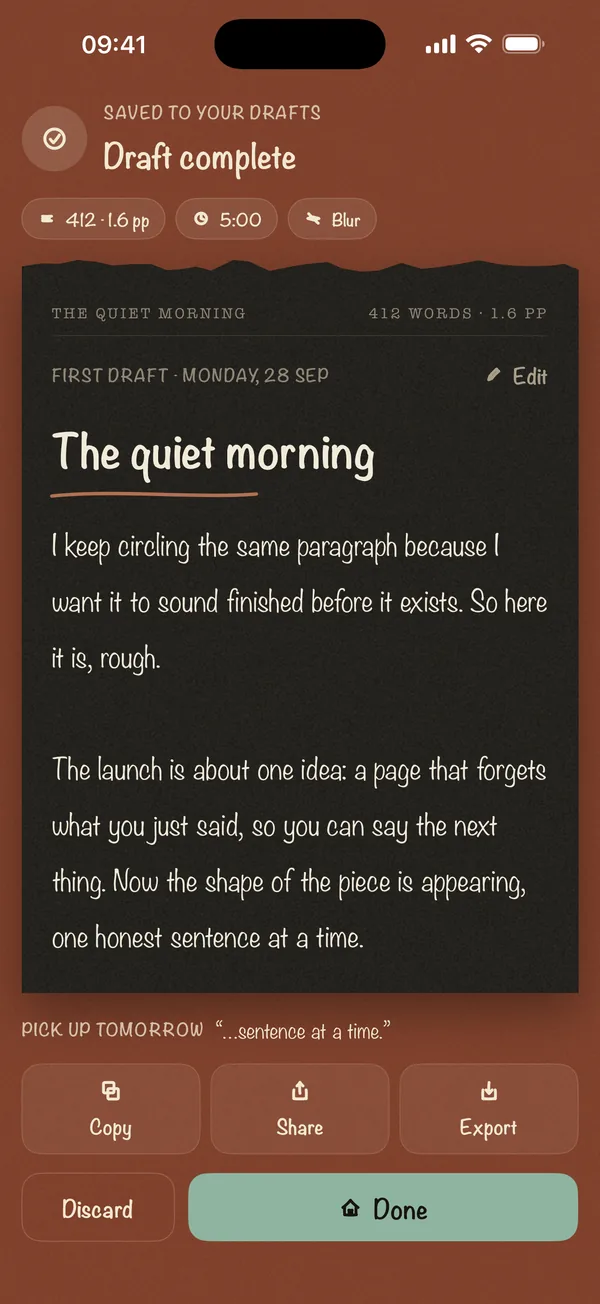
This is the most direct fix: if you can't see the earlier text, you can't reread it. You can fake it by turning your screen brightness down to zero, or by changing the font color to match the background. Both work, and both are clumsy. A dedicated app does it properly. In Blind Draft, Blur mode softens each line once you move past it, Invisible mode hides earlier text completely, and Last Line Only keeps just the line you're on.
3. Set a word count, not a quality bar
"Write a good intro" invites editing. "Write 300 words" doesn't. Count words, not quality, during the draft. Quality is a job for the second pass.
4. Ban the backspace key
For one session, don't delete anything. If you write a sentence you hate, write the better version right after it. You'll have duplicates to clean up later, and that's fine: cleaning up is quick when there's a draft to clean.
5. Leave placeholders instead of stopping
When you need a fact, a name, or the perfect word, type a marker like [TK] (journalist shorthand for "to come") or [CHECK] and keep going. Searching for one detail in the middle of a draft is how a 10-minute sprint turns into an hour of research.
6. Freewrite before the real draft
Spend 10 minutes writing about the piece instead of writing the piece: what it's about, what you're stuck on, what the reader needs. Peter Elbow made this practice famous as freewriting. It warms you up and often produces the real opening by accident.
7. Schedule the edit separately
Editing needs a time too. Put it in a different session, ideally on a different day. Knowing the edit has its own slot makes it much easier to leave a bad sentence alone right now.
Which method fits which writer
| If you... | Try this first | Why |
|---|---|---|
| Rewrite the first paragraph forever | Hide or blur earlier text | Removes the thing you keep rereading |
| Never start | 5-minute sprint | Small enough that starting feels easy |
| Start but stall halfway | Word-count goal and [TK] markers | Keeps momentum through the hard middle |
| Edit because the draft "feels bad" | Freewrite first, edit on a different day | Separates generating from judging |
| Are writing something emotional or high-stakes | Invisible mode or Last Line Only | Nothing to judge until it's done |
Common mistakes
- Making sprints too long. A 60-minute sprint gives you time to start editing again. Start at 5 or 10 minutes.
- Peeking "just once." Rereading one line restarts the loop. Wait for the end of the sprint.
- Editing the same day. You still remember what you meant to write, which hides the gaps. A night's sleep helps you read what's actually there.
- Expecting the first draft to be good. Anne Lamott's advice in Bird by Bird is to let yourself write a bad first draft on purpose. The job of the first draft is to exist.
Frequently asked questions
Is it bad to edit while you write?
Not always. For short messages, editing as you go is fine. For anything longer than a few paragraphs, it usually slows you down and stops drafts from getting finished, because you polish the beginning and never reach the end.
How do I turn off my inner editor?
You can't switch it off, but you can give it nothing to work on. Hide or blur the earlier text, write against a timer, and promise yourself a separate editing session. The inner editor goes quiet when there's nothing in front of it.
What is the best app to stop editing while writing?
Pick an app that hides your earlier text without punishing you. Blind Draft for iPhone and iPad blurs or hides earlier lines while you write and reveals the full draft at the end. It never deletes your words. Web apps like The Most Dangerous Writing App take a harsher approach and delete your text if you stop typing. See how the two compare.
How long should a writing sprint be?
Start with 5 to 10 minutes. Once you finish sprints without stopping, try 15 or 25 minutes.
Does writing without editing make the writing worse?
The first draft will be rougher, but the finished piece is usually better. You get to a complete draft, see its real shape, and spend your editing time on the parts that matter rather than on the first paragraph.
The bottom line
You stop editing while you write by removing the chance to reread, not by trying harder. Use short sprints, hide the text above your cursor, and give editing its own session. If you write on an iPhone or iPad, Blind Draft does the hiding for you: pick a 5-minute sprint, choose Blur, and write forward until the draft exists.