The cheapest Freewrite alternative for most people is an iPad or iPhone they already own, a Bluetooth keyboard, and a writing app that stops you editing. Blind Draft blurs or hides what you've written during a timed sprint, so you write forward like on a Freewrite, and it's free to start, with Pro as a one-time purchase. A Freewrite is still better if you want E Ink, no other apps on the device, and a physical typewriter feel.
Freewrite's typewriters are built around one idea: drafting and editing are different jobs, so a drafting machine should make editing hard. No browser, no apps, no notifications, just a keyboard and a screen. Writers love them, but they cost as much as a laptop.
If what you actually want is the habit, writing forward without rereading, you can get most of it with an iPad or iPhone and the right app.
What Freewrite costs
Prices from Freewrite's online store in October 2026:
| Device | Screen | Price |
|---|---|---|
| Alpha | Backlit LCD | $349 |
| Traveler | E Ink | $549 |
| Smart Typewriter (3rd generation) | Front-lit E Ink, mechanical keyboard | $699 |
All of them have "no open internet access or apps", in Freewrite's words, and sync your documents to its Postbox service so you can edit them elsewhere.
What you get with an iPad and Blind Draft
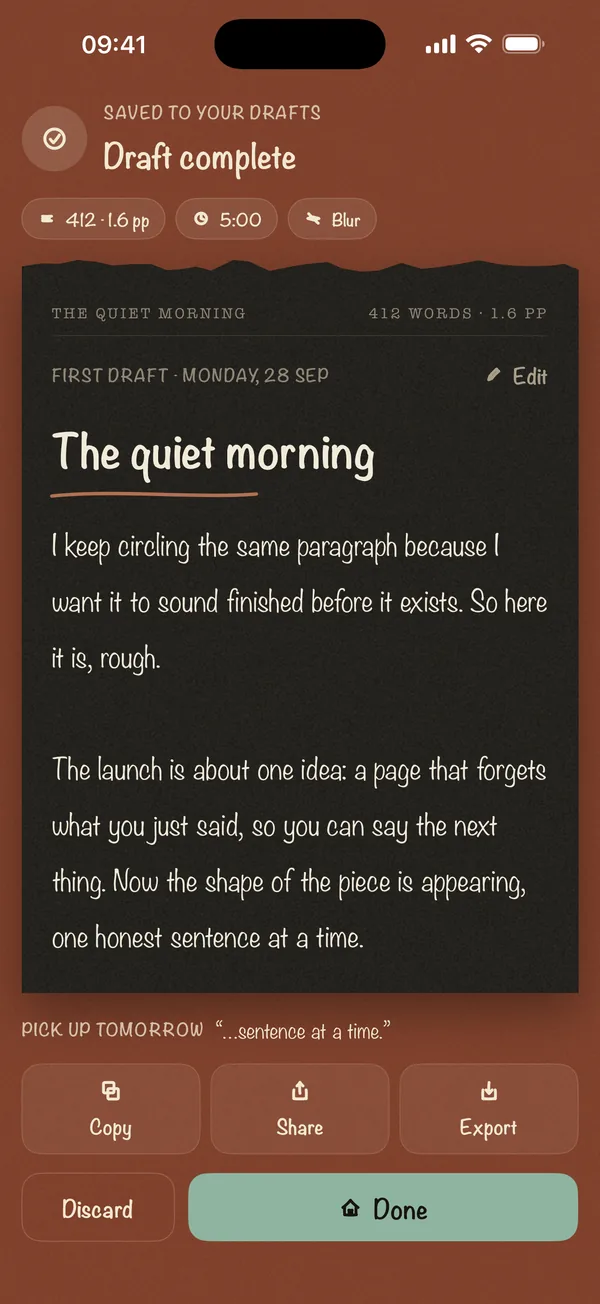
- Write-forward drafting. During a sprint, Blind Draft blurs your earlier text (Blur mode), hides it completely (Invisible), or shows only the line you're on (Last Line Only). You can't reread or fix it, which is the same discipline a Freewrite enforces with its limited editing.
- A hardware keyboard. Blind Draft works with any keyboard you pair with an iPad or iPhone, and the iPad layout is built for the bigger screen.
- Your drafts stay yours. No account and no server. Drafts are stored on your device, and you export them to edit anywhere.
- The price. Free to start: Blur mode and 5-minute or 300-word sprints. Pro, a one-time purchase, adds the other two modes, longer goals, prompt packs, stats, Markdown and PDF export.
Side by side
| Freewrite | iPad + keyboard + Blind Draft | |
|---|---|---|
| Stops you editing while drafting | Limited editing by design; newest model adds arrow keys | Earlier text blurred or hidden until the sprint ends |
| Other apps and the internet | None on the device | Still on the iPad; use Do Not Disturb or an iPadOS Focus |
| Screen | E Ink (or LCD on Alpha) | iPad display |
| Sync and export | Postbox cloud sync | Copy, share or export from the device |
| Battery | A separate device to charge | Your iPad's battery |
| Cost if you own an iPad | $349 to $699 | Free, or a one-time Pro purchase |
When a Freewrite is worth it
Be honest about why you want one. A Freewrite is the better choice if:
- The iPad itself is the distraction. If you'll open email the moment you get stuck, a device that can't do anything else is worth the money.
- You want E Ink. It's easier on the eyes for long sessions and readable in sunlight.
- You love the object. The typewriter feel is part of what gets some writers to sit down.
When the iPad route is better
- You already own the hardware, and spending hundreds on a single-purpose device doesn't make sense.
- You write in short sessions, on the sofa, on a train, or between other things.
- You want stricter blinding. Invisible mode hides your text completely, which no Freewrite does.
Making an iPad feel like a writing device
- Turn on Do Not Disturb or create a Writing Focus in iPadOS Settings that silences everything.
- Pair a keyboard and put the iPad in a stand at eye level.
- Start a timed sprint in Blind Draft. Twenty-five minutes is a good default; see our writing sprints guide.
- Export at the end and edit on a different day, in a different app.
Frequently asked questions
What is the cheapest Freewrite alternative?
An iPad or iPhone you already own, a keyboard and a write-forward app like Blind Draft. Blind Draft is free to start, and Pro is a one-time purchase.
Can you edit on a Freewrite?
Older Freewrite models only let you backspace, which is deliberate: you draft forward and edit later on a computer. The third-generation Smart Typewriter adds arrow keys for moving around a document.
Does Blind Draft work with a keyboard?
Yes. It works with any keyboard paired with your iPad or iPhone.
Is there a Freewrite app?
Freewrite's Postbox service lets you get your documents off the device. For drafting on an iPad or iPhone with the same "don't look back" rule, Blind Draft hides what you've written until the sprint ends.