iA Writer's focus mode highlights the sentence or paragraph you're writing and dims the rest, but you can still scroll back and edit anything. Blind Draft blurs or hides earlier text during a timed sprint, so you can't reread or fix it until the sprint ends. iA Writer is a full writing app ($19.99 on iPhone and iPad) for the whole project; Blind Draft is a free first-draft tool. Many writers use both: draft blind, then edit in iA Writer.
iA Writer is one of the best-known focused writing apps, and its focus mode is often the first thing people try when they want to stop fiddling with their prose. Blind Draft solves the same problem in a stricter way. They're less competitors than two tools for two stages of the same piece of writing.
How each one works
iA Writer's focus mode has three settings, according to iA's documentation. Sentence highlights the sentence your cursor is in and dims the surrounding text. Paragraph does the same for the whole paragraph. Typewriter keeps the line you're typing vertically centred without dimming anything. The rest of the document is still there, readable if you look, and you can move the cursor anywhere to edit.
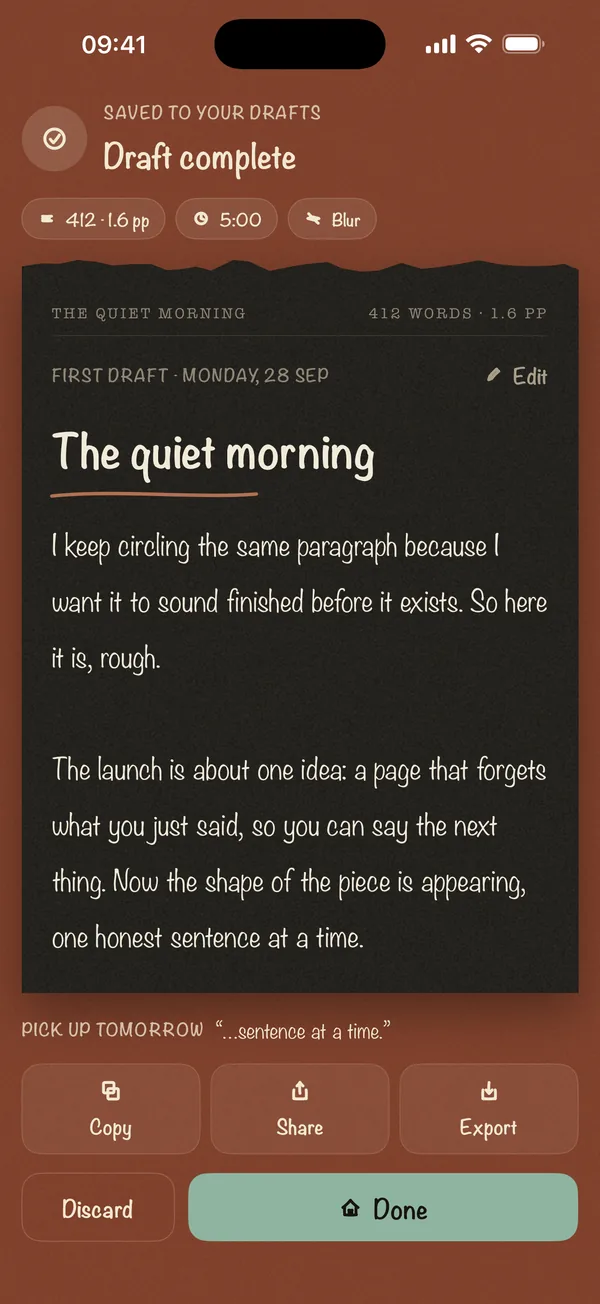
Blind Draft works in timed sprints. You pick a timer or word goal and a mode: Blur softens earlier text so you can see it's there but can't read it, Invisible hides it completely, and Last Line Only shows just the line you're on. You can't go back and fix anything while the sprint runs. When it ends, the full draft is revealed.
Side by side
| Blind Draft | iA Writer | |
|---|---|---|
| Earlier text while you write | Blurred, hidden, or reduced to the current line | Dimmed (sentence or paragraph focus) |
| Can you go back and edit mid-draft? | No, not until the sprint ends | Yes, any time |
| Timed sprints and word goals | Built in | Not the focus of the app |
| Editing tools | None; export to edit elsewhere | Style check, Markdown preview, templates, authorship tracking |
| Platforms | iPhone and iPad | Mac, Windows, iPhone and iPad |
| Price | Free; Pro is a one-time purchase | $19.99 on the US App Store; free trials on Mac and Windows |
| Account | None; drafts stay on device | None needed for local files |
When to choose iA Writer
- You want one app for the whole project: drafting, editing, formatting and exporting.
- Focus mode's gentle dimming is enough to keep you moving.
- You work across Mac, Windows and iOS.
- You write in Markdown and want a clean preview.
When to choose Blind Draft
- You keep going back to fix sentences even with focus mode on.
- You want a hard rule, not a nudge, for the first draft.
- You draft in short timed sessions on iPhone or iPad.
- You want to start free.
Using them together
The two fit together well, because they cover different stages:
- Draft in Blind Draft. Run a 15 or 25-minute sprint with Blur or Invisible mode until the messy version exists.
- Export it. Copy or share the text, or export as Markdown (Pro) to keep headings and emphasis.
- Edit in iA Writer. Open the draft, use focus mode or style check, and shape it into the final piece.
This is the same split between writing and editing that freewriting teachers recommend; our guide on how to finish a first draft explains why it works.
Frequently asked questions
Does iA Writer have a mode that hides your text?
Not completely. Focus mode dims everything except the current sentence or paragraph, but the text stays readable and editable. For text that's hidden until you finish, use Blind Draft's Invisible mode.
Is iA Writer worth it?
If you want a single, polished app for writing and editing across devices, many writers think so. If your problem is specifically that you can't stop editing your first draft, try a dedicated blind-drafting app first; Blind Draft is free to start.
Can I move drafts from Blind Draft into iA Writer?
Yes. Copy or share the draft, or export it as Markdown with Blind Draft Pro, and open it in iA Writer.
Is there a free iA Writer alternative?
For first drafts on iPhone and iPad, Blind Draft is free to start. For a full Markdown editor, there are many free options, though few have iA Writer's focus on typography and calm design.