Invisible mode hides earlier text completely while you write, so there's nothing to reread or fix. Your words are saved as you type and revealed in full when the sprint ends. Invisible mode is part of Blind Draft Pro, and free users get one free try.
Invisible mode is for writers who can still read a blur. Once you move past your words, they disappear from view until the sprint is over. There's no shape to judge and no paragraph to peek at. Only the next sentence exists.
How Invisible mode works
- Start a sprint and choose Invisible.
- Write. Earlier text disappears from the screen as you go.
- Your words are saved the whole time, even though you can't see them.
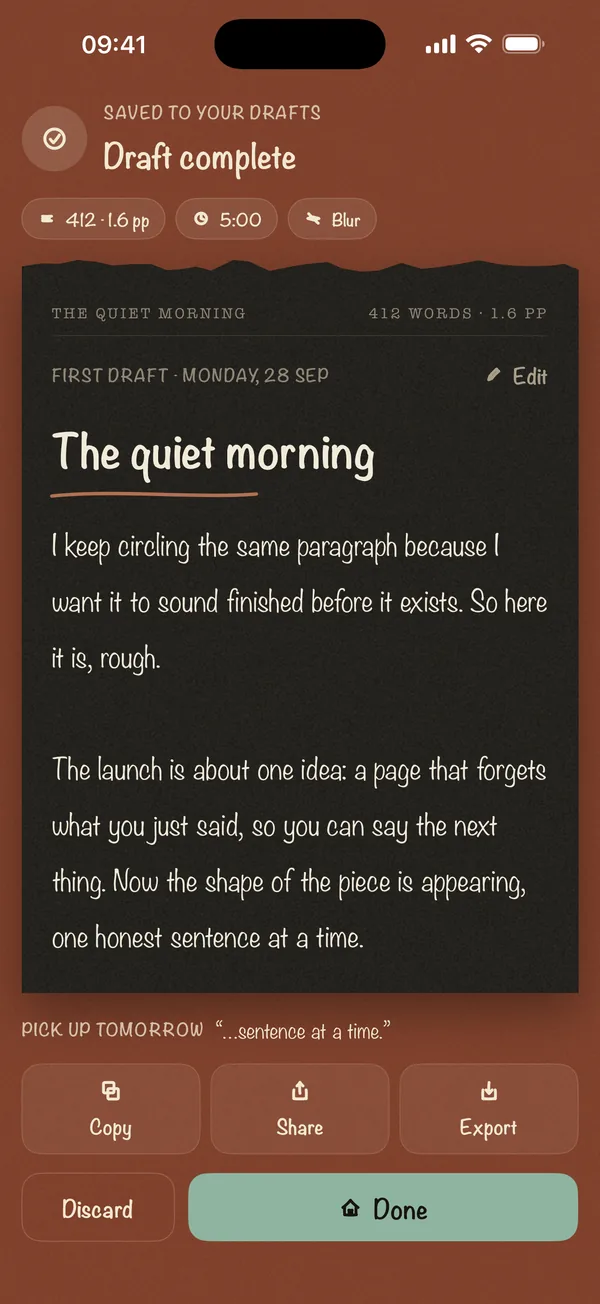
- When you reach the goal, the full draft appears on the Draft Complete screen.
Who it's for
- Perfectionists. If Blur still tempts you to decode it, Invisible removes the temptation entirely.
- Freewriters and journalers. It's the digital version of folding the page under each line. See what freewriting is.
- Writers of hard or personal pieces. Not seeing what you've said makes it easier to keep saying it.
- Novelists on a word count. In a November novel challenge, rereading is the enemy.
Invisible vs Blur vs Last Line Only
| Mode | What you see while writing | Best for |
|---|---|---|
| Blur | Earlier lines softened | First-time blind writers |
| Invisible | Nothing above the cursor | Perfectionists, freewriting |
| Last Line Only | Only the current line | Momentum with a little context |
Frequently asked questions
Will I lose my words if I can't see them?
No. Everything is saved on your device as you type. Invisible mode only hides text from view during the sprint.
Is Invisible mode free?
It's part of Blind Draft Pro, a one-time purchase. Free users get one free try of Invisible mode.
Isn't it hard to write without seeing anything?
The first minute feels strange. After that, most writers find it freeing, because there's nothing to judge.